
How to Open a Support Ticket in the Client Portal

0

How to Open a Support Ticket in the Client Portal

Follow the steps below to submit a support request through our client portal.

Step 1: Log in to the Client Area

Visit the client portal and sign in to your account:

https://my.vnetindia.com/index.php?rp=/login
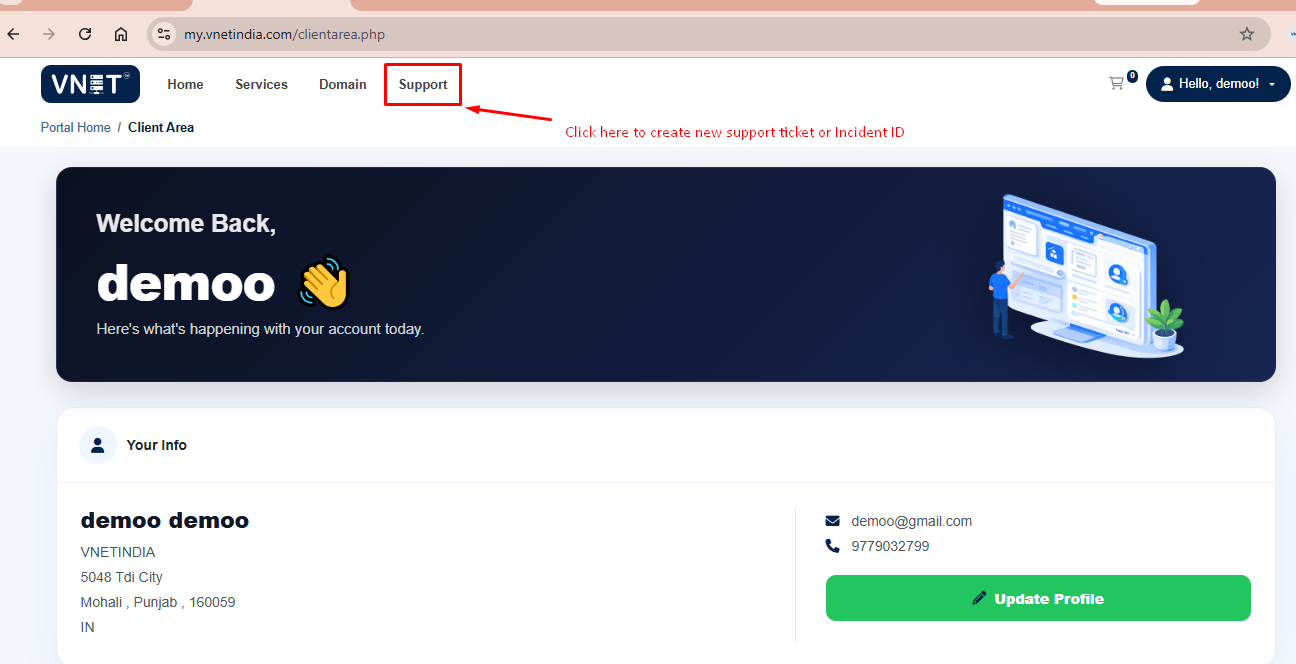
Step 2: Open the Support Section

After logging in, click Support from the main menu.
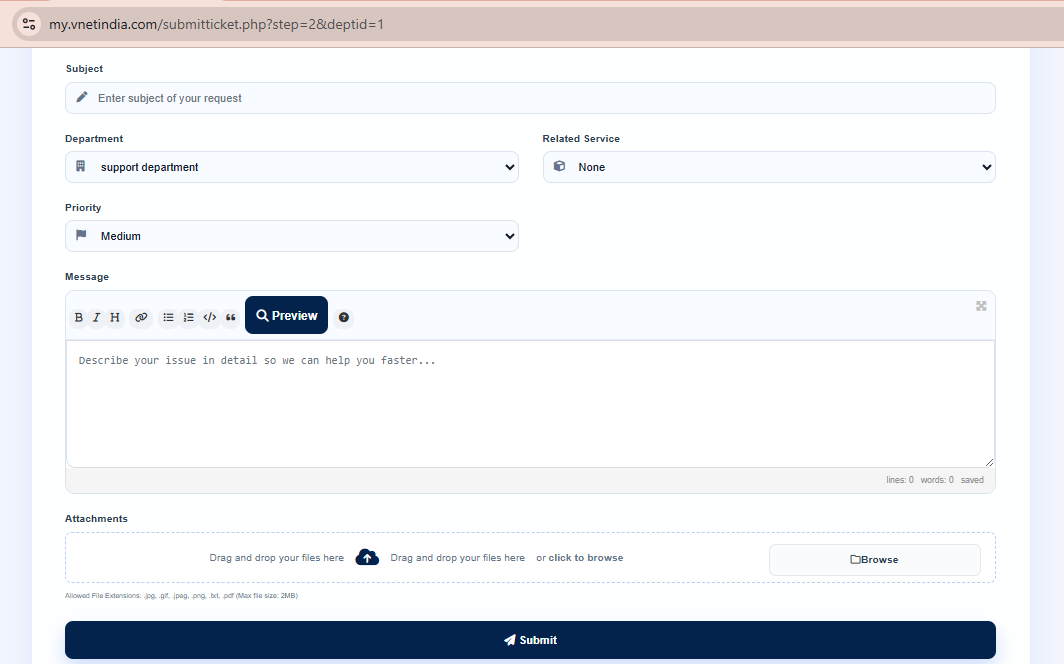
Step 3: Complete the Ticket Form

Fill in the required information:

  • Subject: Enter a brief summary of your issue.
  • Department: Select the appropriate department (for example, Technical Support or Billing).
  • Related Service: Choose the server or service for which you are requesting assistance.
  • Priority: Select the priority that best matches the urgency of your issue.
  • Description: Provide a detailed explanation of the problem, including:
    • The steps to reproduce the issue (if applicable)
    • Relevant URLs
    • Error messages
    • Any troubleshooting already performed
  • Attachments (Optional): Upload screenshots or other relevant files that can help us investigate the issue.

Once you have completed the form, click Submit to create the support ticket.

Step 4: Ticket Created

Your support ticket will be created successfully, and you will receive a unique Ticket ID (also referred to as an Incident ID).
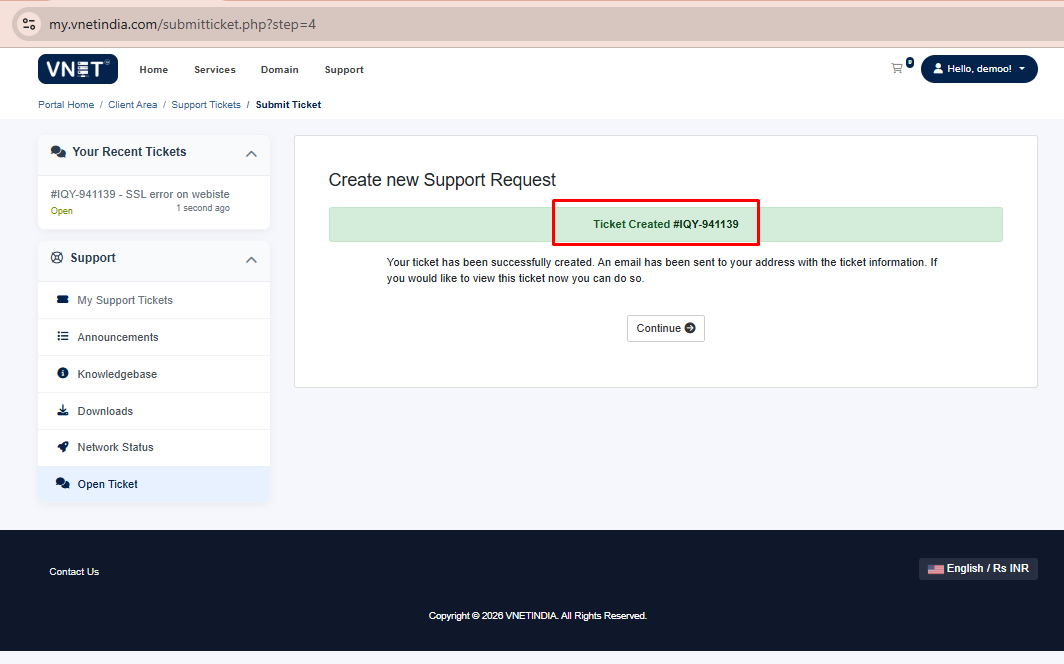
Step 5: Share the Ticket ID on Live Chat

If you are communicating with our team via Live Chat, please provide the Ticket ID so we can quickly locate and assist with your request.

Note: Please create one support ticket per issue. If you have multiple unrelated issues, open a separate ticket for each one. This helps us assign your request to the appropriate team and ensures faster resolution.

Was this answer helpful?